Migrating PostNord Shipments from EDI to API
A step-by-step guide to moving PostNord integrations from file-based EDI to its REST API — sandbox setup through a verified first label.


PostNord has told its integration partners plainly: "In order to be up to date regarding data transferring, we will in the future only develop new functions for our APIs, and as a consequence we will stop supporting file-based EDIs." If you're still pushing shipment data through flat files, this is the PostNord API integration guide for actually getting off that path, from sandbox registration to a production canary shipment. This isn't a theoretical overview. It's the sequence we ran against PostNord's own developer portal, with the exact hosts, parameters and failure modes you'll hit along the way.
Why this migration can't wait
PostNord isn't quietly deprecating EDI. It's actively migrating customers off it on a rolling basis. PostNord will start the migration for customers on an ongoing basis, with an email describing the process followed by a phone call. If you integrate through nShift, the pressure has a hard date attached: nShift Ship customers must migrate to the API solution before March 1st, 2026 for Sweden, and PostNord Denmark has set a final deadline of February 24th, 2026, for nShift Ship customers to switch to the API. Finland is on a looser timeline, with Finnish customers transitioning starting in 2025, as soon as possible, according to nShift's own migration notes.
There's also a financial lever now. From 1 March 2026, PostNord will charge SEK 1.00 per package for EDI information sent via file, with invoices showing this cost as SEK 0.00 from 1 January 2026 for transparency, and the recommendation is to switch to the new PostNord API services to avoid it. Put those two things together: a shrinking support window and a per-package surcharge. This is a carrier API migration you want to run on your own schedule, not PostNord's.
Before you start
You need an active PostNord business account, clarity on whether you're registering as a Partner or a Customer, and a test client that can hit two completely different hosts. The distinction matters more than it sounds. A Partner is defined as having a platform or system with several associated customers using different customer numbers and Org/VAT numbers, registering for the Partner plan and using one API key and application ID for the whole platform across all customers. A Customer, by contrast, registers for the Customer plan and uses one API key and application ID for the whole integration. Pick wrong and you'll be re-registering scopes halfway through onboarding.
You'll also need a contact point for provisioning. PostNord's sandbox docs point developers to the support line directly: for help, contact [email protected].
Step-by-step: EDI to API migration
- Register a sandbox developer account. Register a sandbox developer account at atdeveloper.postnord.com and use the assigned apikey in the API request as a query parameter called apikey. This key is tied to your account, not your code, so keep it out of source control the same way you would a production secret.
- Inventory the endpoints you actually need. PostNord's Active APIs page groups everything under one booking umbrella. The main use cases are Book EDI Instruction, Book EDI Instruction and get labels (PDF or ZPL), Book Digital Returns and get labels (PDF, ZPL or QR code), Book Pickups, Book Customs Information (CN22, CN23, Commercial Invoice, Proforma Invoice), and Get labels and documents. Not every endpoint needs the same auth. Note which ones are flagged unsecured versus OAuth2-scoped before you start building.
- Request your OAuth2 client. Secured endpoints need a client_id with specific scopes, and those scopes live in each API's own Swagger file, not a master list. The client registration needs an API key, a Client Application Name, a Redirect URI (where the authorization server returns a code or token), and the list of scopes retrieved from the API's Swagger specification. Submit this to PostNord support with the exact scope strings, not paraphrased ones.
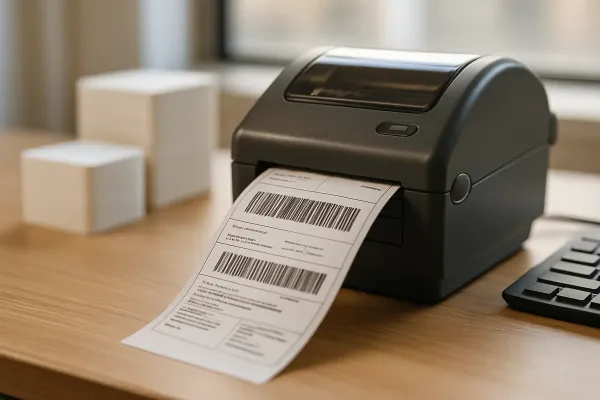
- Call the sandbox host and confirm a label comes back. The test URL host is atapi2.postnord.com, separate from the production host at api2.postnord.com. Run "Book EDI Instruction and get labels" against atapi2 and check you get a PDF or ZPL back. This is your direct functional replacement for the old EDI label step, and it's the first point where sandbox output genuinely mirrors what production will return.
- Map your legacy service codes to the API's numeric codes. PostNord's booking API groups transport products under fixed service numbers: PostNord Parcel (18), PostNord MyPack Home (17), PostNord Return Pickup (20), PostNord Pallet (52), and PostNord Groupage (83). If you're resolving a delivery point for a pickup-location service, do that lookup before the booking call, not after, since a failed point resolution will block the whole shipment.
- Register for production and order your live scopes. Register a production developer account at developer.postnord.com, and to access secured APIs place an additional order containing the required OAuth2 scopes for those APIs, found in the API's Swagger file. Point your client config at the production host and token issuer only after this order clears, not before.
- Run a parallel canary before you cut the EDI feed. Send the same handful of orders through both the legacy EDI path and the new API path simultaneously. Compare label output, tracking IDs and customs data byte for byte. Only decommission EDI once the canary batch has scanned cleanly at PostNord sortation for a few days running.
Sandbox vs production at a glance
| Item | Sandbox | Production |
|---|---|---|
| Registration portal | atdeveloper.postnord.com | developer.postnord.com |
| API host | atapi2.postnord.com | api2.postnord.com |
| API key source | Issued on sandbox signup | Issued on production signup, separate order for OAuth2 scopes |
| Booking (EDI instruction) auth | apikey query parameter | apikey query parameter |
| Track & Trace, Service Points, Mailboxes | OAuth2 client credentials, scopes per Swagger | OAuth2 client credentials, scopes per Swagger |
Source: PostNord Customer API Guides, sandbox and production host and key provisioning.
How you know it worked
Three signals tell you the migration is actually done, not just technically connected. First, label bytes returned from the sandbox and production booking calls should match your test-address expectations in both PDF and ZPL. Second, a Track & Trace lookup against the shipment ID you booked should return a consistent status without a manual EDI fallback. Third, and most important: your canary shipments need to scan correctly at PostNord sortation under their own steam, with nobody quietly re-keying the same order into the old file flow as a safety net. If someone on your ops team is still doing that "just in case," you haven't finished migrating.
Failure mode — the silent 403
The two errors that trip up almost every team doing this migration are easy to confuse. If the apikey is missing or wrong, PostNord's API responds with 403 Forbidden. Separately, each API has its own rate limit, and any request over that limit returns a 429 Too Many Requests error. The trap: a 403 on a secured endpoint often gets misread as a rate-limit problem, when it's actually a missing or mismatched OAuth2 scope. The reverse happens too, with teams assuming a 429 under load is an auth bug.
To tell them apart fast, check three things in order. Is the failing call apikey-only (like Booking) or OAuth-scoped? If it's OAuth-scoped, does the error body reference a specific scope name, which points to a provisioning gap rather than traffic volume? And does the response include a Retry-After header, which only shows up on genuine rate-limit responses, not auth failures? If you're guessing scope strings instead of pulling them verbatim from the endpoint's Swagger file, stop. That's the single most common cause of a 403 that looks like a 429.
Where this fits in your wider carrier stack
PostNord is rarely the only carrier on your stack if you ship across the Nordics and the rest of Europe. Most teams end up layering a multi-carrier abstraction on top of direct integrations like this one specifically so they don't have to relearn every carrier's auth quirks and service-code tables from scratch. Platforms like nShift, Sendcloud, EasyPost and Cargoson all sit in that layer, and the gaps between what a carrier's native API offers and what shippers actually need show up quickly. PostNord's own booking API, for instance, has no native return-label flow. PostNord SE doesn't natively support return labels, so Cargoson generates return labels and manages the return logistics process through its own platform, which is exactly the kind of gap a direct integration forces you to build yourself, or outsource to a layer like Cargoson that's already solved it.
Open questions / follow-ups
PostNord doesn't publish a lead time for OAuth2 scope provisioning anywhere we could verify. Teams planning this migration should log their own IAM request turnaround time and treat it as a scheduling risk, not an afterthought. It's also unclear from public docs whether PostNord intends a hard EDI shutoff date across all markets, versus the current pattern of "no new development" plus country-specific deadlines pushed through partners like nShift. Given Sweden and Denmark already have 2026 deadlines attached to a per-package EDI surcharge, that ambiguity is worth monitoring on the developer portal changelog rather than assuming file-based EDI will keep working indefinitely.